
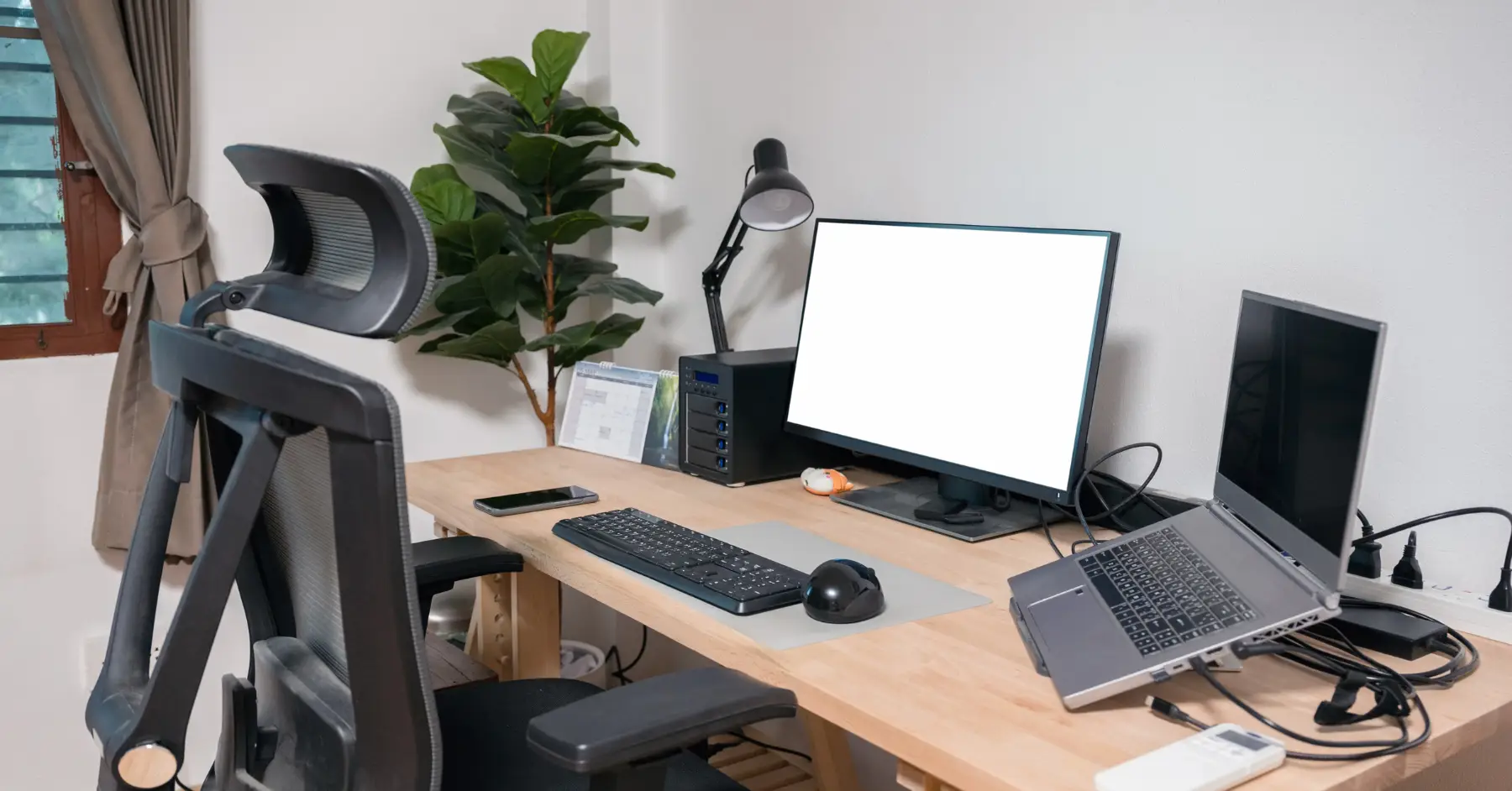

Working from home has become the new norm for many remote workers, requiring a seamless blend of essential gadgets and technology to enhance productivity and comfort. Whether you’re a seasoned digital nomad or new to working remotely, equipping yourself with the right tools can make a significant difference in your work-from-home experience.
What Are the Essential Gadgets for a Remote Work Setup?
Why is an Ergonomic Keyboard and Mouse Important?
Remote work demands long hours of work, often involving extensive use of a keyboard and mouse. Investing in ergonomic keyboards and mice can mitigate strain on your wrists and fingers, reducing the risk of repetitive strain injuries. Peripherals like the Logitech ergonomic keyboard and mouse are designed to support natural hand positions, making them favorite gadgets for maintaining comfort. An ergonomic setup is essential for improving productivity and ensuring longevity in your remote work routine.
How Can a High-Quality Webcam Enhance Video Calls?
In the world of remote work, clear communication is key. A high-quality webcam guarantees that you present yourself professionally in meetings. Gadgets like the Logitech Brio 4K webcam offer excellent video quality and advanced features such as low-light correction, enhancing your Zoom calls. Investing in a good webcam is a must-have for any home office, ensuring you maintain a polished and professional appearance.
Do Noise-Cancelling Headphones Improve Productivity?
Noise-cancelling headphones are indispensable for remote workers, especially in a bustling home environment. These gadgets help block out background noise, allowing you to focus on your tasks without distractions. High-quality noise-cancelling headphones also improve the quality of virtual meetings by providing clear audio, enhancing communication. Devices like the Bose QuietComfort headphones are perfect for creating a serene work environment at home, boosting your productivity levels.
How to Optimize Your Remote Workspace?
What Desk Setup Works Best for Remote Workers?
Creating an efficient desk setup is paramount for maximizing productivity. A spacious desk with ample room for your gadgets, such as monitors, laptops, and peripherals, sets the foundation for an organized workspace. Consider a desk that accommodates a dual monitor setup, providing you with extra screen real estate to streamline your workflow. Adjusting your furniture for optimal ergonomics is also vital, ensuring you maintain a healthy posture throughout your workday.
Are Adjustable Standing Desks Worth It?
An adjustable standing desk is a game-changer for those seeking flexibility in their workspaces. These desks allow you to alternate between sitting and standing, promoting better posture and reducing the risks associated with prolonged sitting. While they may come with a higher price tag, the ergonomic and health benefits they offer make them a worthy investment for any remote worker committed to their well-being.
Why is a Docking Station Essential for a Home Office?
A docking station can simplify your remote workspace by providing a centralized hub for connecting multiple peripherals. With a docking station, connecting your laptop to monitors, keyboard, mouse, and other devices becomes seamless, reducing cable clutter and enhancing organization. Brands like Logitech offer docking solutions that support various ports and connections, making them essential accessories for an efficient home office setup.
What Technology Impacts Remote Work Productivity?
How Does a Dual Monitor Setup Benefit Working from Home?
A dual monitor setup can significantly enhance your productivity by allowing you to multitask more efficiently. With two screens, you can have multiple applications open simultaneously, such as your email on one monitor and a document on the other, reducing the need to switch between tabs. This setup is a must-have for tasks that require extensive data analysis, coding, or graphic design, making it a crucial addition to your work-from-home gadgets.
Which Wireless Keyboard and Mouse are the Best for a Home Office?
A wireless keyboard and mouse setup offers the convenience of a clutter-free workspace, enhancing mobility and reducing wire entanglements. High-quality wireless peripherals, such as the Logitech MX Keys and MX Master 3, provide reliable performance and ergonomic design. These gadgets are essential for maintaining a clean and efficient workspace, ultimately contributing to better productivity.
Why You Need a Reliable Wi-Fi Connection?
A reliable Wi-Fi connection is foundational to any remote work setup. High-speed internet ensures that you can attend virtual meetings, download large files, and access cloud-based applications without interruption. Investing in a quality Wi-Fi router, like the Google Nest Wi-Fi, can enhance your connection’s stability and range, ensuring you’re always connected and productive.
What Accessories Should Be Considered for Remote Work?
Are Wireless USB Hubs Necessary?
Wireless USB hubs are practical gadgets for remote workers who need to connect multiple devices without the hassle of tangled cables. These hubs expand your laptop’s connectivity, providing additional ports for USB drives, chargers, and other peripherals. They’re essential for maintaining a tidy workspace, allowing you to organize your devices efficiently without sacrificing mobility.
How Do Laptop Stands Encourage Better Posture?
A laptop stand elevates your laptop to eye level, promoting better posture and reducing neck and back strain. These stands are particularly beneficial for prolonged work sessions, helping to maintain ergonomic alignment while working from home. Investing in a high-quality laptop stand, such as those from Logitech, can greatly enhance your comfort and productivity.
What Are the Benefits of Using a High-Quality Microphone?
Clear audio is crucial for effective communication during virtual meetings. A high-quality microphone ensures that your voice is transmitted crisply and without distortion, enhancing the overall meeting experience. Gadgets like the Blue Yeti microphone are popular among remote workers for their superior sound quality and ease of use. Having a reliable microphone is a must-have for maintaining professionalism and clear communication in your home office.
How to Maintain a Professional Work Environment at Home?
What Cable Management Solutions Work Best?
Effective cable management is vital for a clutter-free and professional home office. Using cable organizers, clip holders, and under-desk trays can help keep cables neatly arranged and out of sight. This not only enhances the aesthetics of your workspace but also prevents tripping hazards and makes cleaning easier.
Why is Investing in a Good Desk Chair Important?
A good desk chair is one of the most important investments for a home office. An ergonomic chair with adjustable features supports proper posture, reducing the risk of back pain and enhancing comfort during long hours of work. High-quality chairs are designed to provide lumbar support and are essential for sustaining productivity in a work-from-home setup.
How Can Lighting Influence Your Home Office Setup?
Proper lighting can remarkably impact your work environment. Adequate lighting reduces eye strain and creates an inviting work atmosphere. Using adjustable desk lamps or LED light strips can help customize the lighting to suit your needs. Ensuring your workspace is well-lit not only enhances productivity but also positively affects your mood while working from home.
Equipping your remote workspace with these essential gadgets and adopting ergonomic principles can significantly enhance your remote work experience. By creating a well-organized, comfortable, and productive home office setup, you can achieve greater efficiency, professionalism, and job satisfaction.